
WeShop AI Tools: Ready-to-Use Prompts and Models for Everyday Creation
Explore how WeShop AI tools combine prepared prompts and models for poster creation, image expansion, and focused photo edits. A guide from MOGU.
A MOGU guide to starting with a creative task and getting to a first result faster.
WeShop AI tools bring prepared prompts and selected models together for specific creative tasks. Users can start with what they want to make, add their own material or instructions, and generate a first result without building the prompt and model setup from scratch.
At MOGU, we see this as an important part of making creative capabilities useful to more people. A creator may need a fashion poster, more space around a product photograph, or a distracting object removed. A tool gives that intention a clear place to start.
A Creative Task Comes Before the Technical Setup
An idea often arrives in ordinary language: “I need a poster for our weekend event.” The person making it may already have a photograph, an event name, and a visual style in mind. Choosing a model and developing a detailed generation prompt can add another layer of decisions before they see a first design.
The tools in WeShop AI organize that starting point around the task. Prepared prompts and models provide the underlying setup; the user contributes the details that make the result relevant to their project. The input varies by tool. Some tasks call for a written description, while others begin with an image or a selected area within it.
That division is useful because the user's knowledge still matters. They know which photograph belongs in the project, what the message should say, and which details need to stay recognizable.
AI Poster: Give an Announcement a Visual Direction
The AI Poster tool creates poster designs from a description, with the option to include your own images. It offers a concrete starting point for event announcements, personal projects, and promotions.
Consider a creator planning a fashion collage for a new outfit story. They can describe the clothes, the visual mood, and how they want the images arranged. The examples below show two different poster directions: information presented as a graphic, and fashion references arranged as a collage.

The prepared setup gives the creator a starting point for exploring that design. They can adjust their description to try another palette or treatment. The decisions remain specific: whether the images support the message, whether the wording is easy to read, and whether the composition suits the audience.
Before sharing a poster, check its wording and factual details against the original information. Text within an illustrative poster should not be treated as current information without verification.
Expand Image: Make Room Around an Existing Picture
Sometimes the picture already works, but its composition needs more space. The AI Image Expander extends an image beyond its existing borders using AI outpainting.
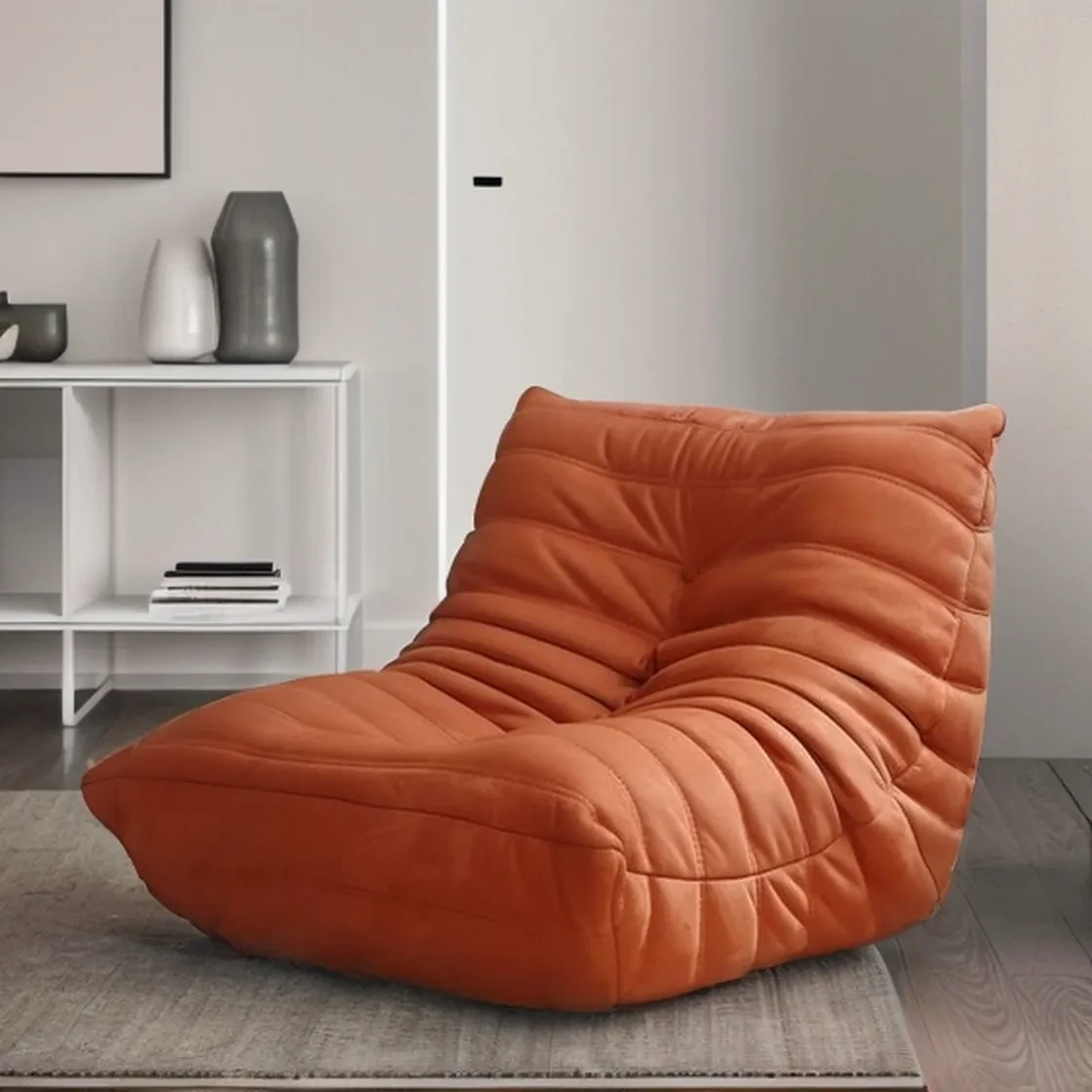
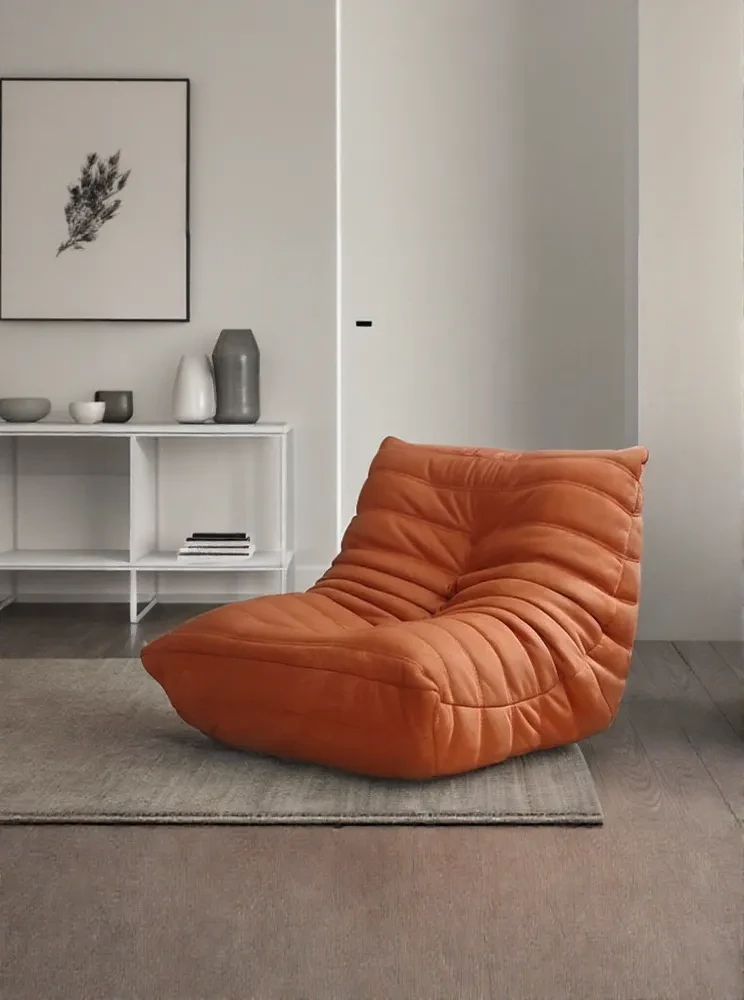
In the chair example, extending the surrounding room creates another composition around an existing subject. A creator preparing a banner or a different page layout can use this approach to explore additional space around the product.
Here, the task itself provides much of the direction. The creator is asking for more room around an existing subject. Reviewing the extended area for continuity helps them decide whether the new composition serves the intended use.
Magic Eraser: Work on One Distraction
The Magic Eraser tool works on a more local change. Users mark an unwanted object or area in a photograph for removal.
In the product-scene example, a hanging leaf enters the image from the upper left. Removing it shifts attention toward the product while retaining the surrounding scene as the reference. The creator can then inspect the area where the leaf was removed, along with the product label, lighting, and background.


This example also shows why tools need different inputs. A poster benefits from a description of the intended design. An object removal task benefits from a clear indication of where the change belongs.
Choosing a Starting Point for Your Project
A task-focused tool is useful when you can name the change or output you want. Start with AI Poster for a poster concept, Expand Image for additional space around a picture, or Magic Eraser for a selected distraction.
For a more open-ended image idea, you may prefer to explore an available model and develop your own instructions. These approaches can sit within the same project: generate a concept, make a focused adjustment, and review the result in its intended setting.
For us at MOGU, the value of tools lies in connecting creative capability with an understandable task. WeShop AI prepares the prompt and model starting point so users can spend more of their attention on what they want to create. Explore the available tools to find a starting point for your next project.